


Typography
 1 min read
Typography
Font family
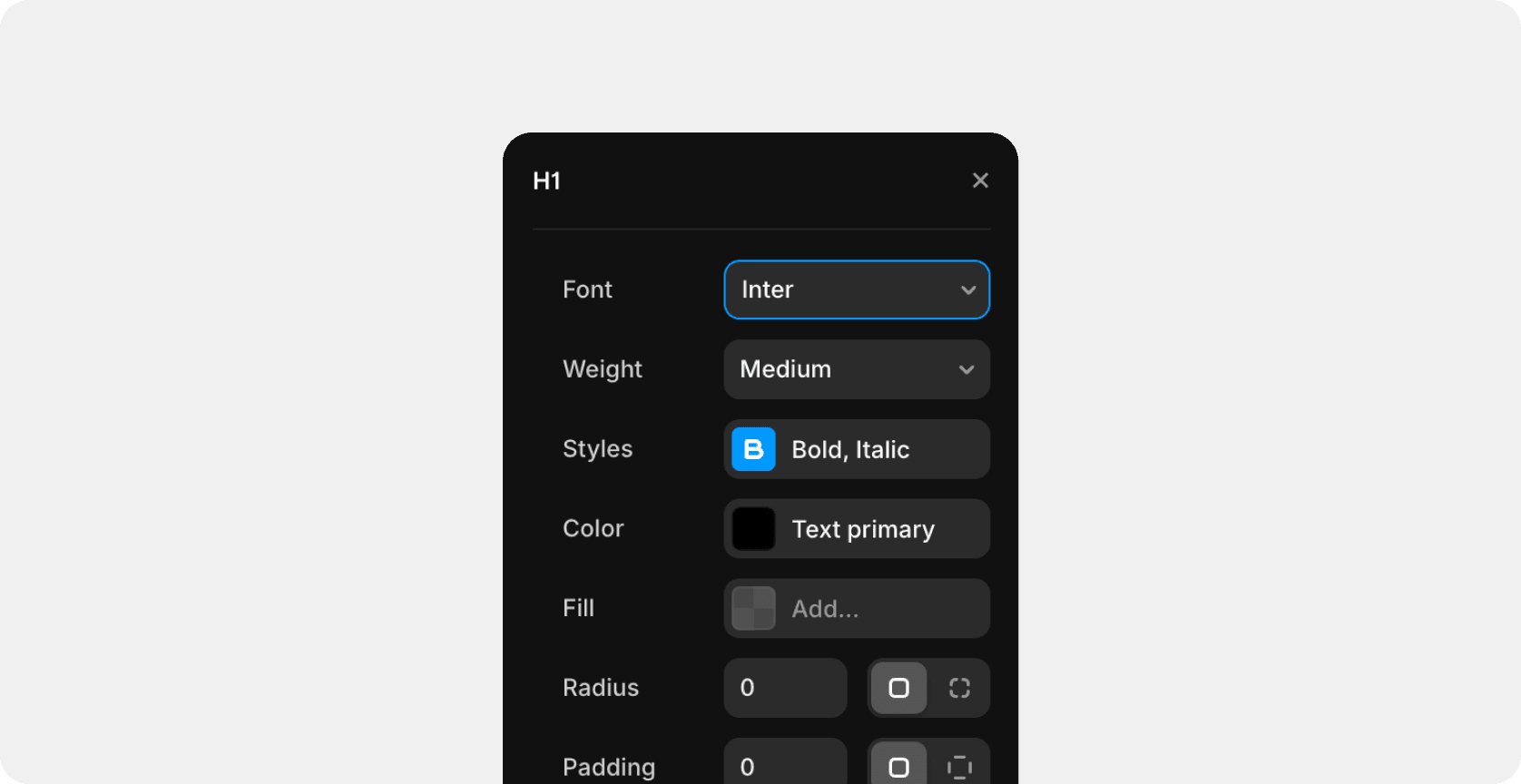
As the main font, we use — Inter.

Style | Size (px) | Letter spacing (px) |
|---|---|---|
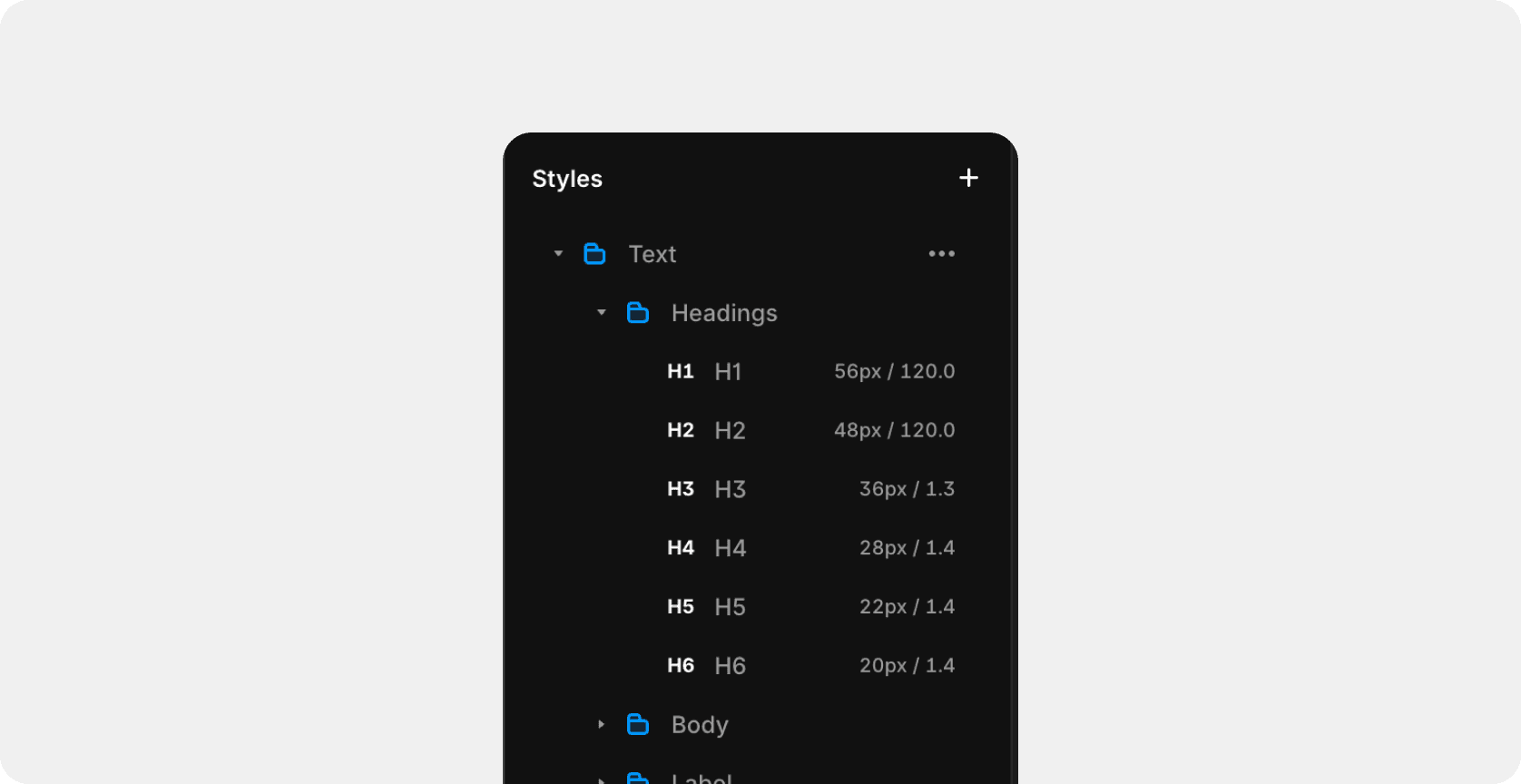
H1 | 56 | -2.8 |
H2 | 48 | -2.4 |
H3 | 36 | -1.8 |
H4 | 28 | -1.4 |
H5 | 22 | -1.1 |
H6 | 20 | -0.5 |
Body 1 | 18 | -0.05 |
Body 2 | 16 | -0.05 |
Label large | 18 | -0.03 |
Label middle | 15 | -0.03 |
Label small | 14 | -0.03 |
Large title | 100 | -0.05 |
Caption 1 | 16 | -0.05 |
Caption 2 | 14 | -0.05 |
Caption 3 | 12 | -0.05 |
Mobile menu — level 1 | 28 | -0.04 |
Mobile menu — level 2 | 22 | -0.04 |
Text styles
You can find the text styles in the Assets section.
Change the font family
To change the font family, you need to go to the text styles section and change the "Font field" for each font.
Breakpoints
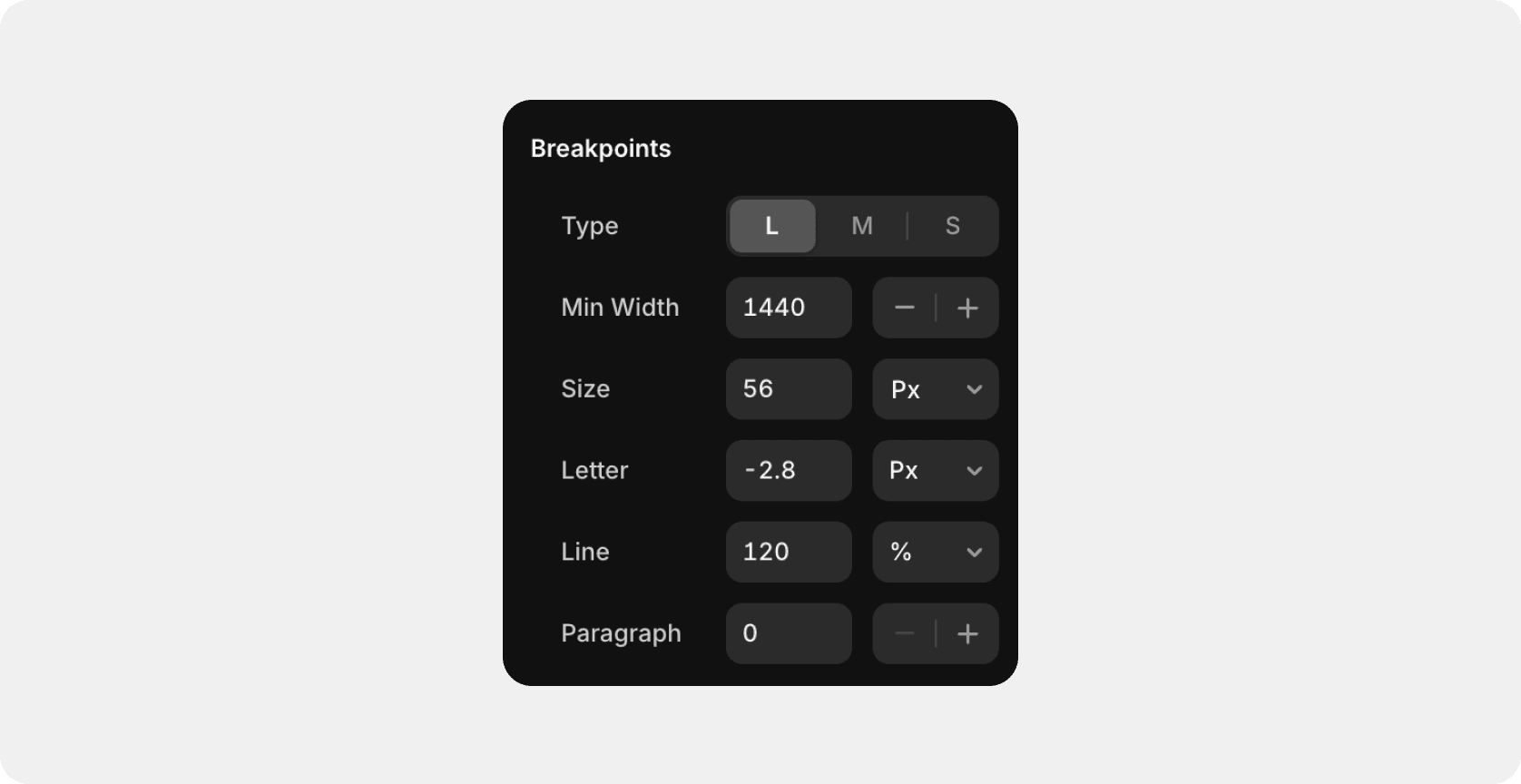
Breakpoints define how text styles adapt across different screen sizes. Use them to adjust font size, line height, and spacing for large (L — Desktop), medium (M — Tablet), and small (S — Mobile) layouts. Select a breakpoint and tweak values to keep typography consistent and readable on all devices.
Last updated on
October 20, 2025